Editable modelling
Build parts with sketches, pads, pockets, sweeps and native modelling operations.
 ALIEN FORMA
LOCAL PARAMETRIC CAD BY CONGESTEDAI
ALIEN FORMA 0.7.4 PREVIEW
Sketch, build and refine editable parts. Work with native CAD tools, or let a compatible AI assistant help through MCP.
Free for personal, non-commercial use. Commercial use follows the terms.
 ONDA SW-3 ROBOTIC ARM STUDY
SKETCH. MODEL. MAKE.
Alien Forma is a parametric CAD application by CongestedAI. Create editable 3D models with sketches, extrusions, cuts and assemblies; prepare technical drawings, paint surfaces and export 3MF. Projects stay local. The optional MCP bridge lets compatible AI assistants use the native tools alongside you.
Get the Windows portable app or Microsoft Store edition. On macOS and Linux, use the command-line package with a supported browser. See the installation requirements.
Experimental animation. For now, the most practical way to set up motion is with an AI agent connected through MCP. We are improving manual setup in the interface to make it simpler and more intuitive.
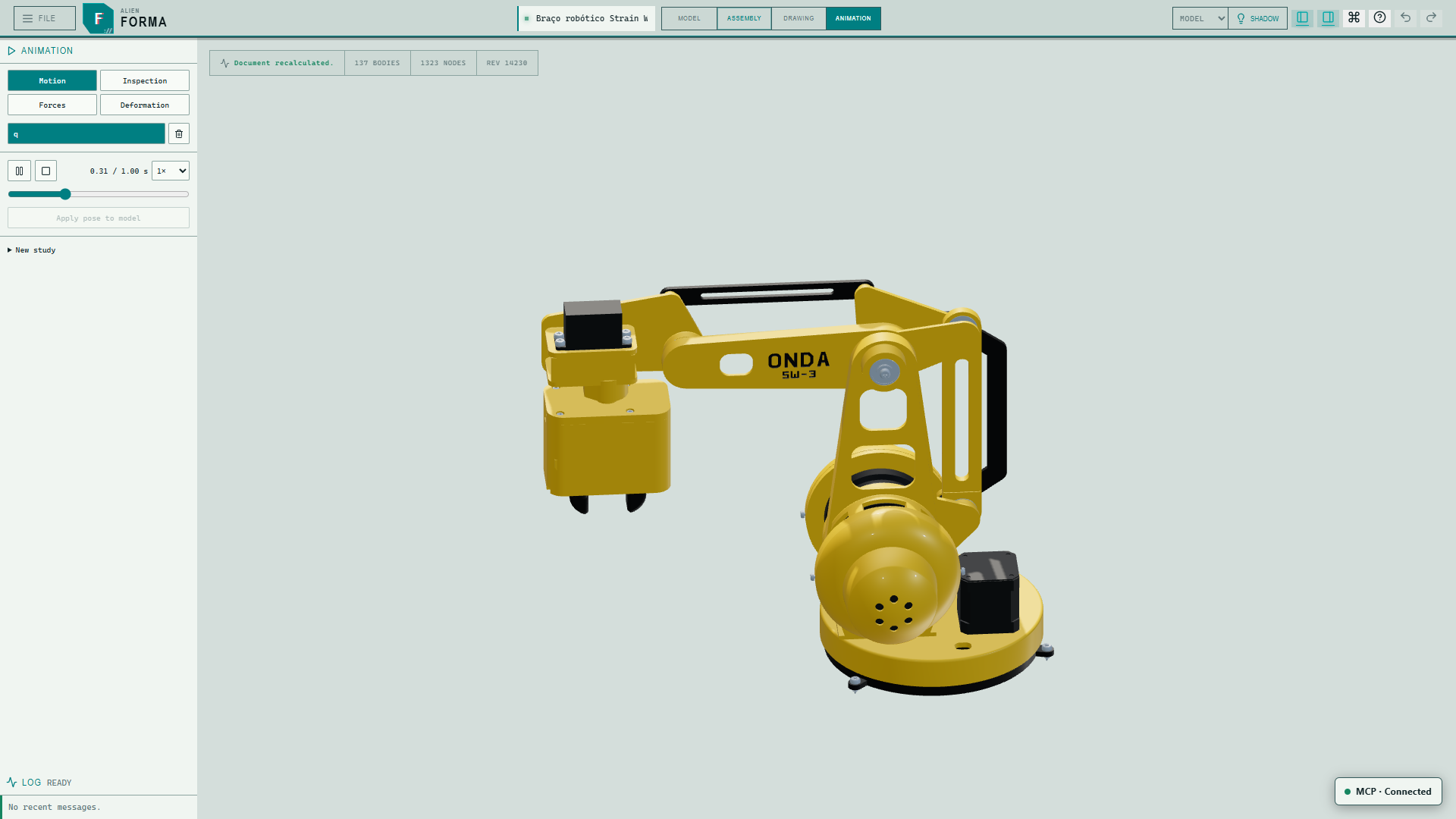
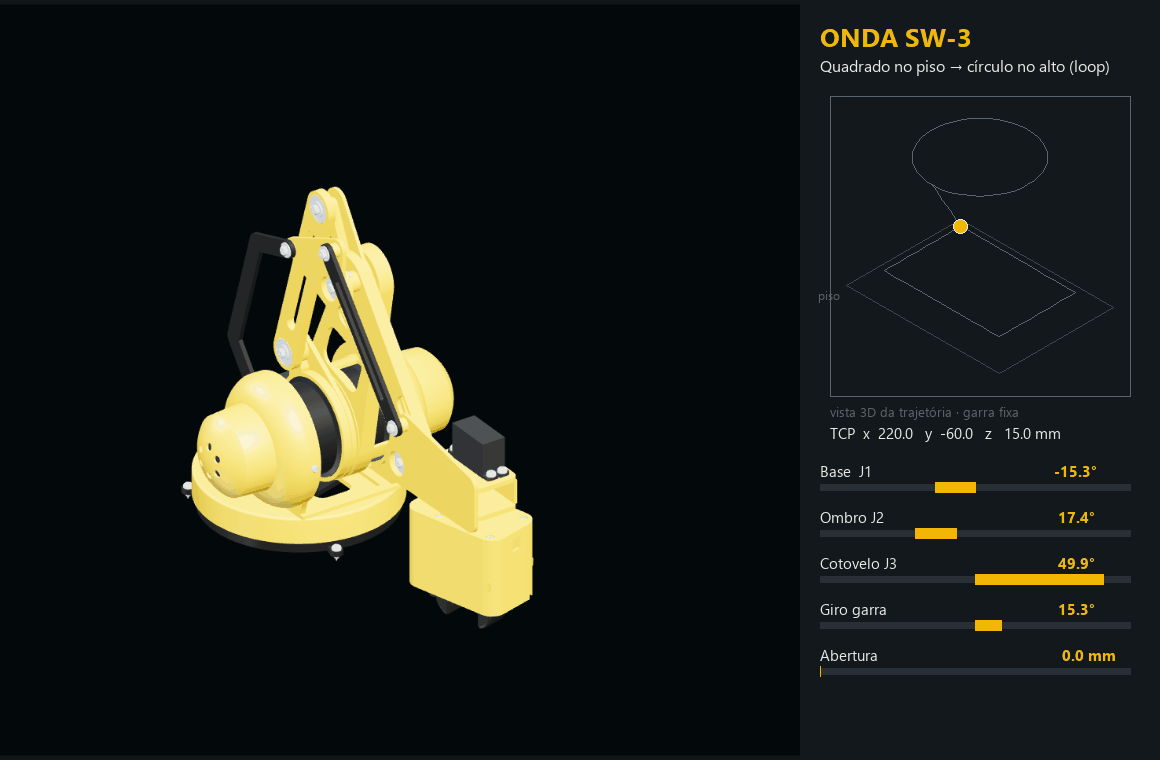
Joint-driven poses, keyframes and playback. The motion demo is kinematic; its trajectory overlay is a presentation annotation.
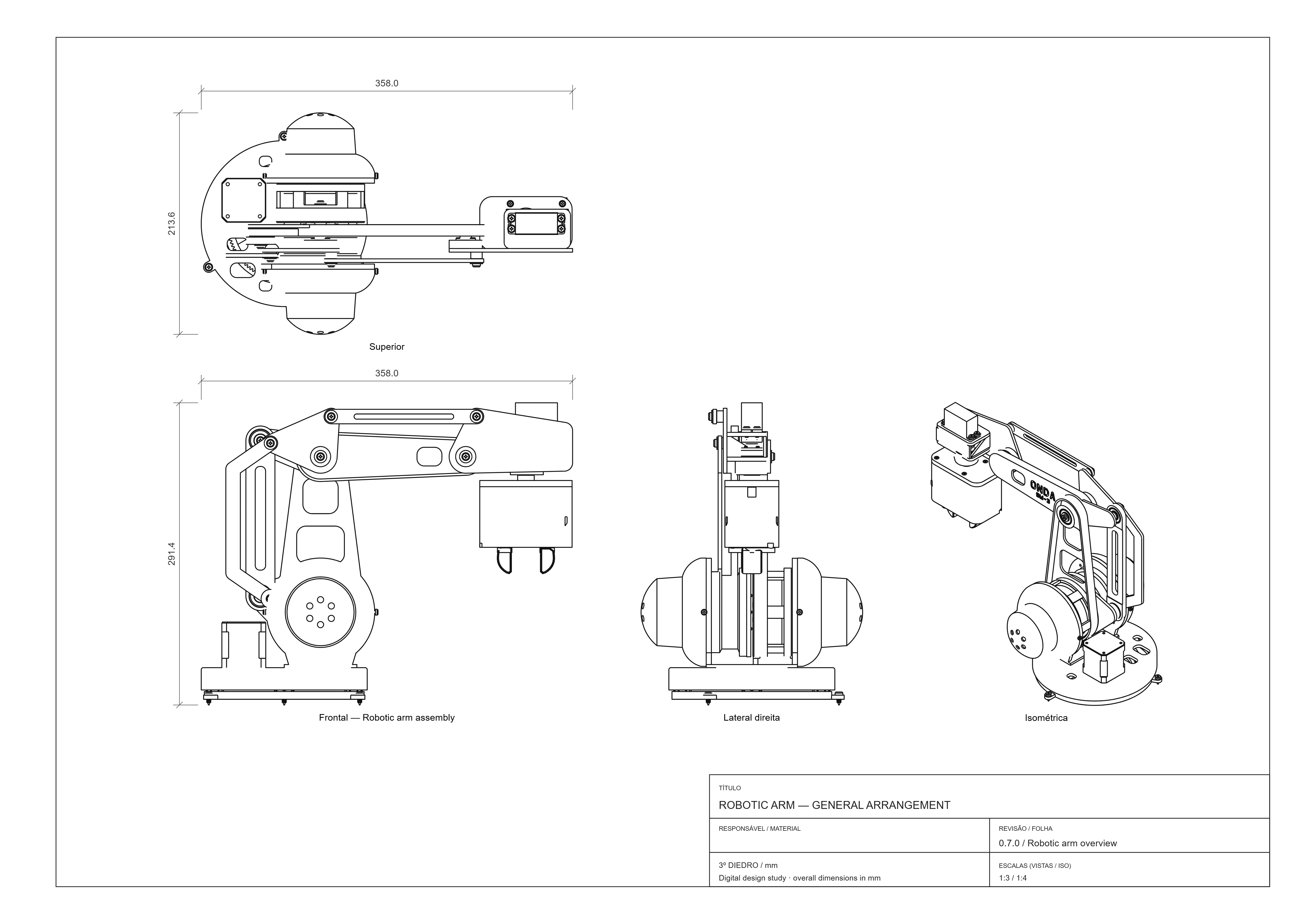
Design-reference sheet. Verify dimensions and fits before fabrication.
Build parts with sketches, pads, pockets, sweeps and native modelling operations.
Organise multiple bodies and define their relationships in one local project.
Explore surface colours, image-based artwork and materials alongside your geometry.
Create technical views and export your work, including 3MF for compatible workflows.
Let compatible assistants discover native CAD tools, inspect the model and work with you.
Explore joint-driven poses and keyframes. MCP is currently the most practical setup workflow; manual setup is being improved.
Explore the 0.7 update: Assemblies in motion ↗
Check each channel's available version. Microsoft Store updates follow a separate review.
Preview results do not certify physical strength or a collision-free path. Structural analysis is experimental and requires supported solver components.